¶ Secure Boot の解除方法
DEV ROUTER (ZPC100) は Secure Boot を解除できます。
- 電源を接続すると自動的に起動するので、Escキーを連打してUEFIの設定画面に入ります

ここの画面でEscを連打します
- UEFIの画面に入ったらシリアルポートを有効化します
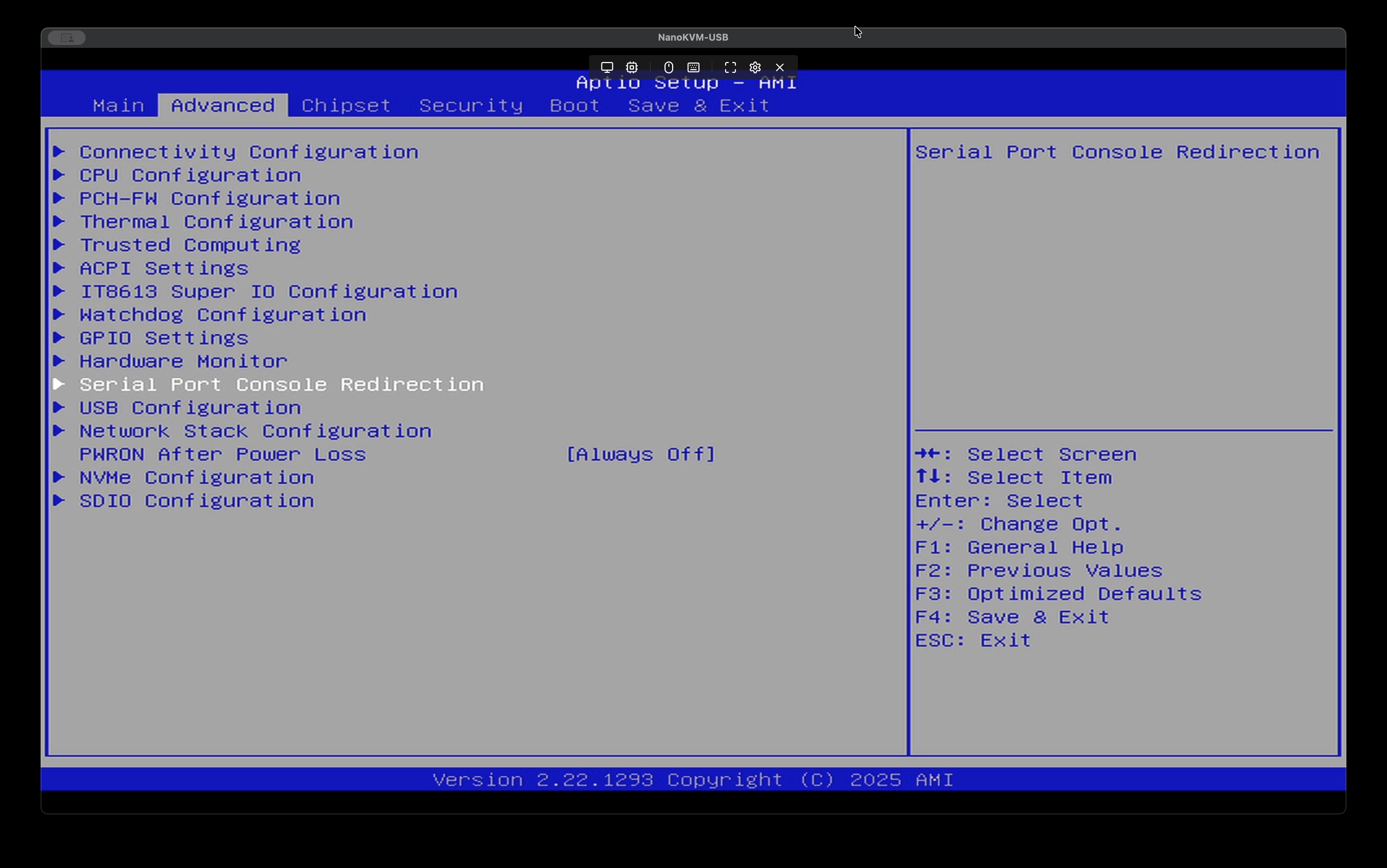
Advanced > Serial Port Console Redirectionに入ります
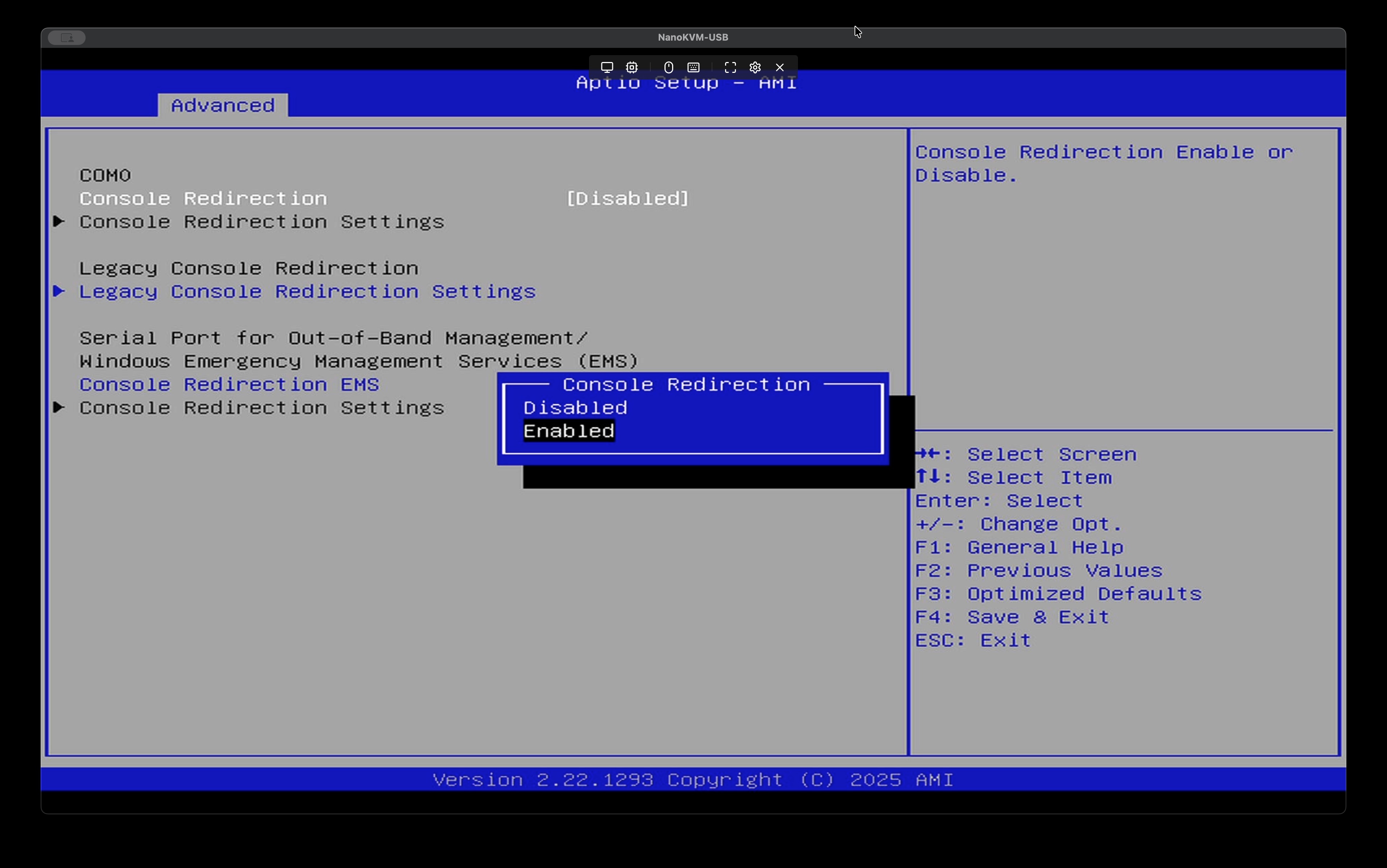
Console Redirection > Enabledに変更
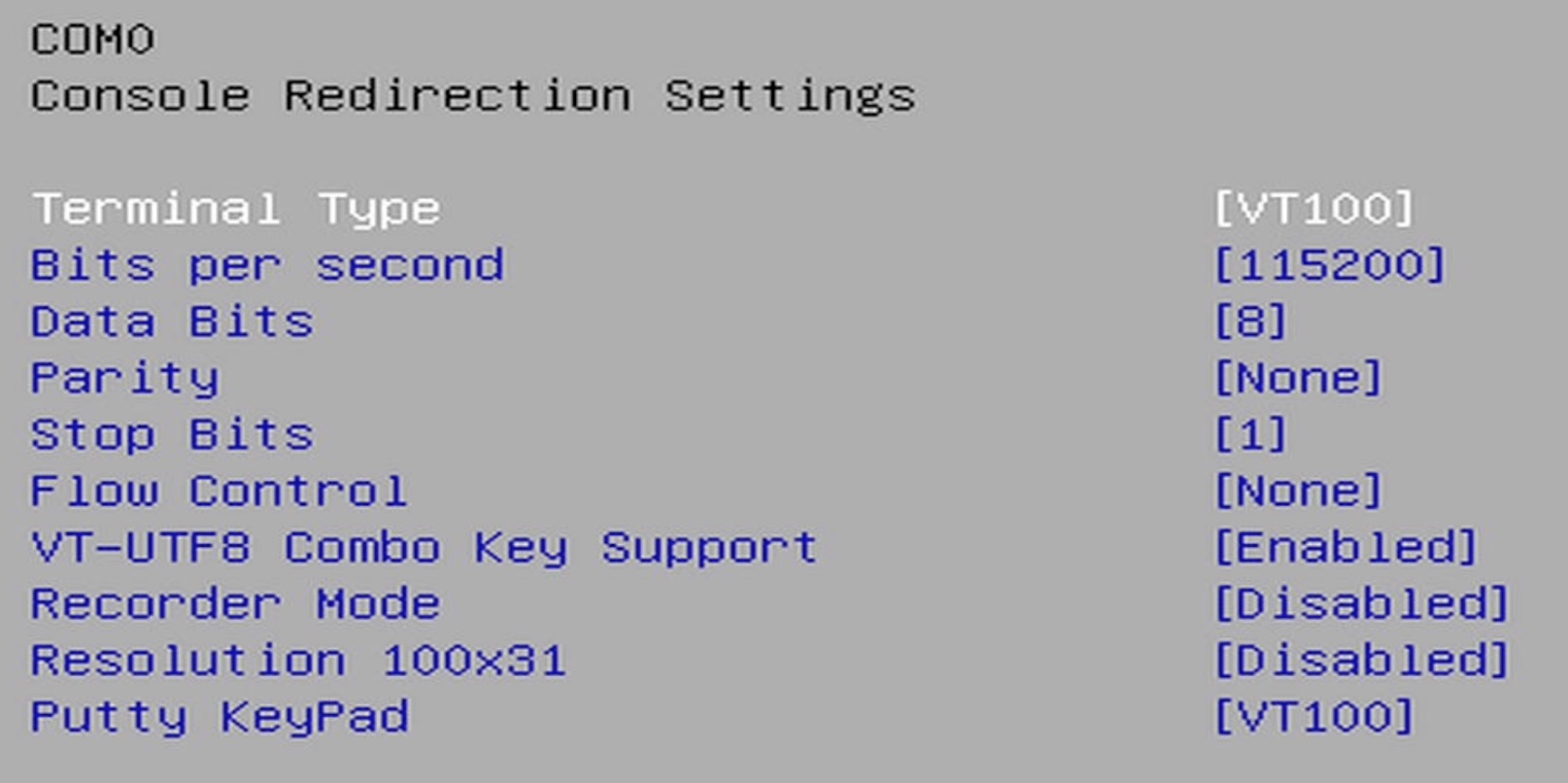
下にあるConsole Redirection Settingsに入ったら以下の変更をしてください
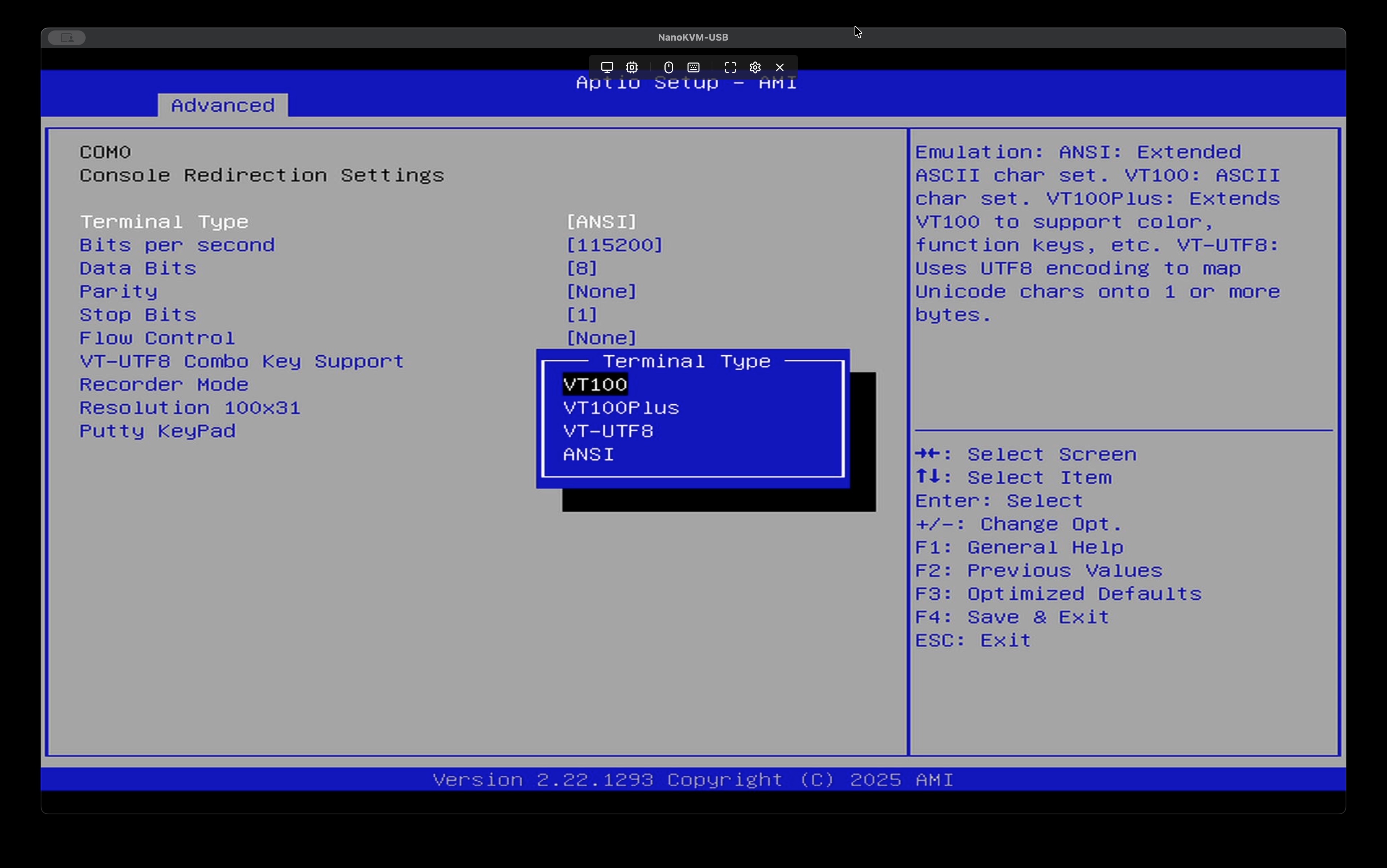
Terminal TypeをVT100に変更、他はデフォルトで良いです。
- セキュアブートを無効化する
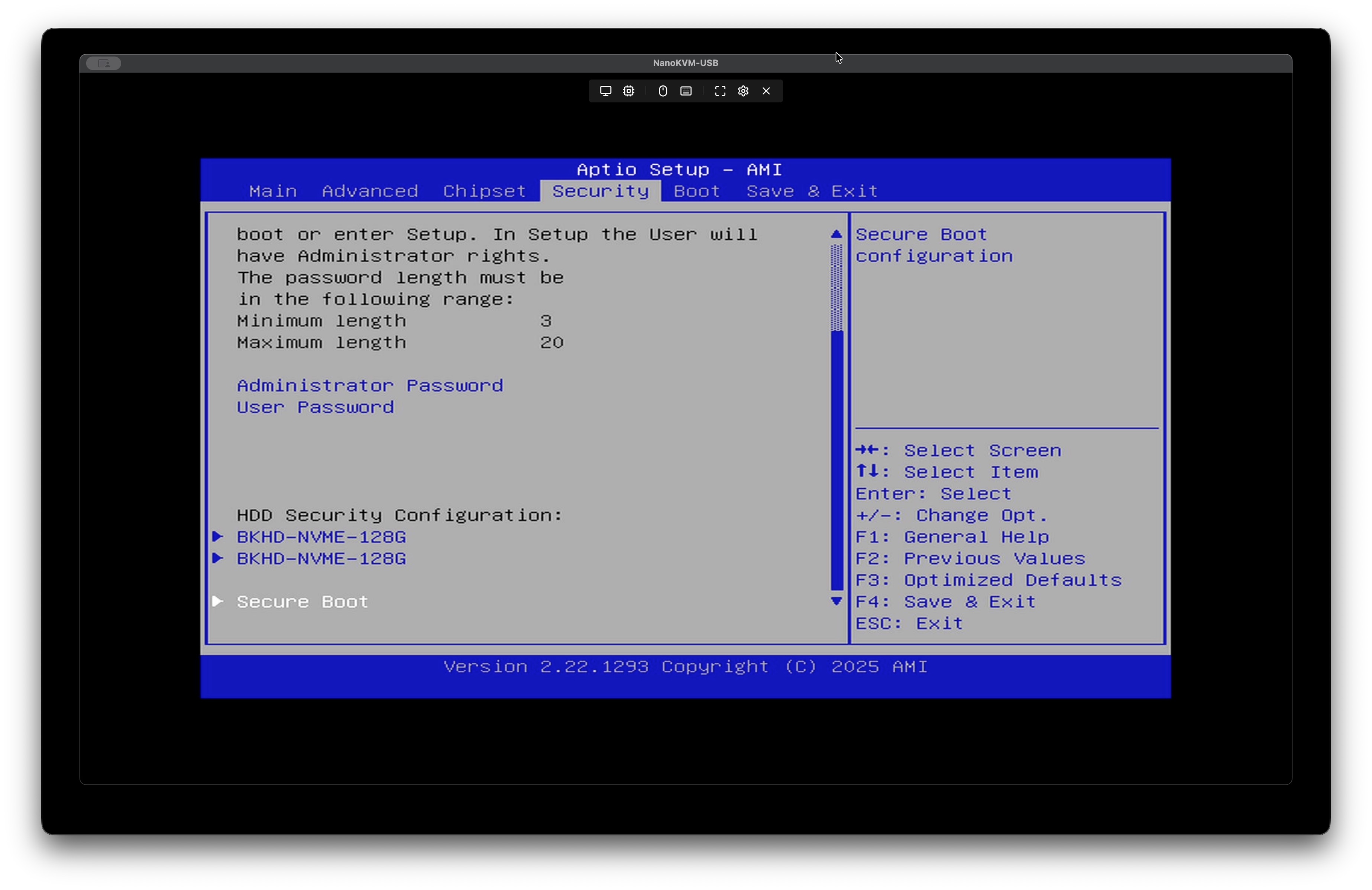
Security > Secure Bootに入る
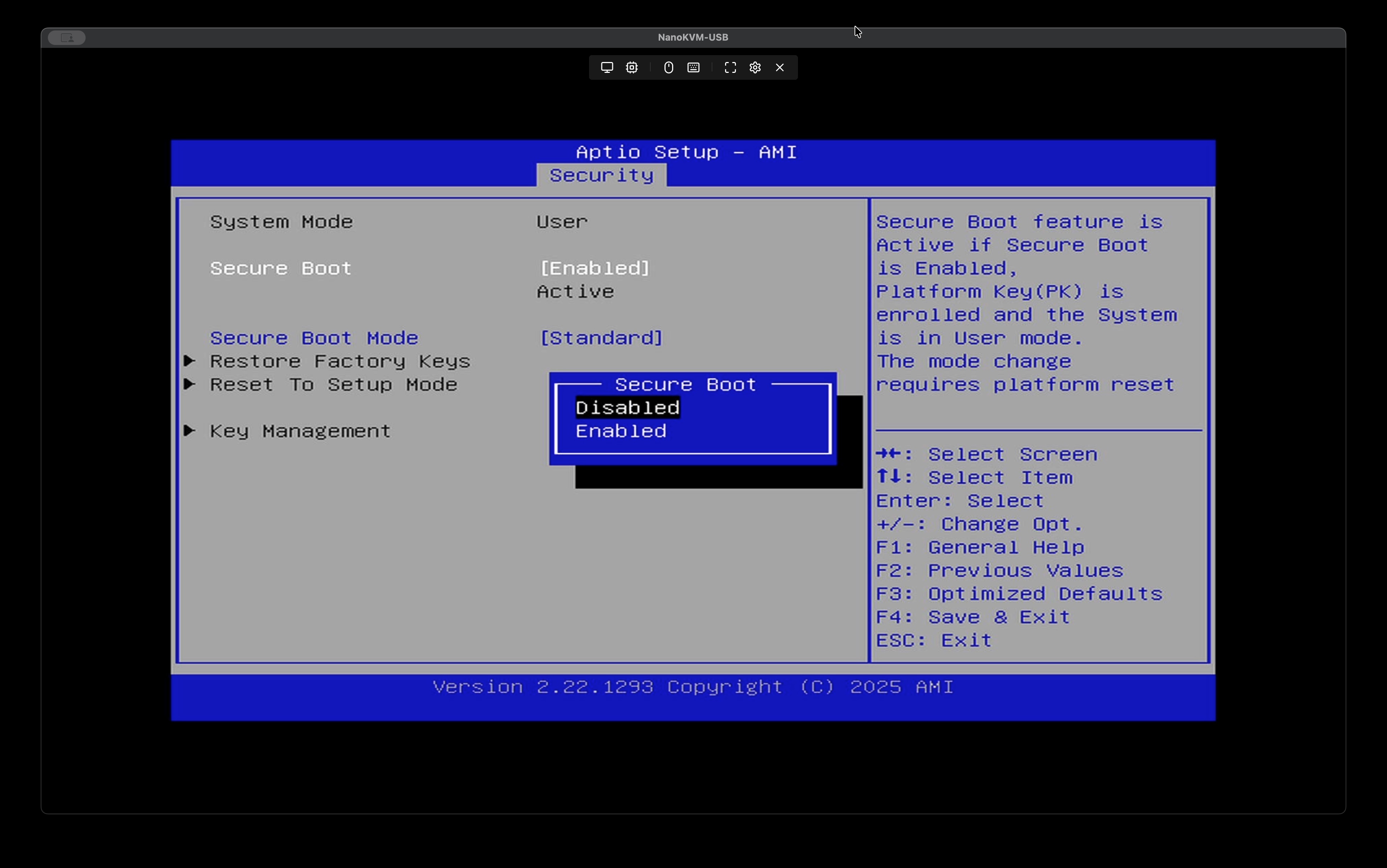
Secure Boot > Disabledに変更
メニューがグレーアウトするなど、変更できない場合はSSDを抜いて試してみてください
- 設定保存
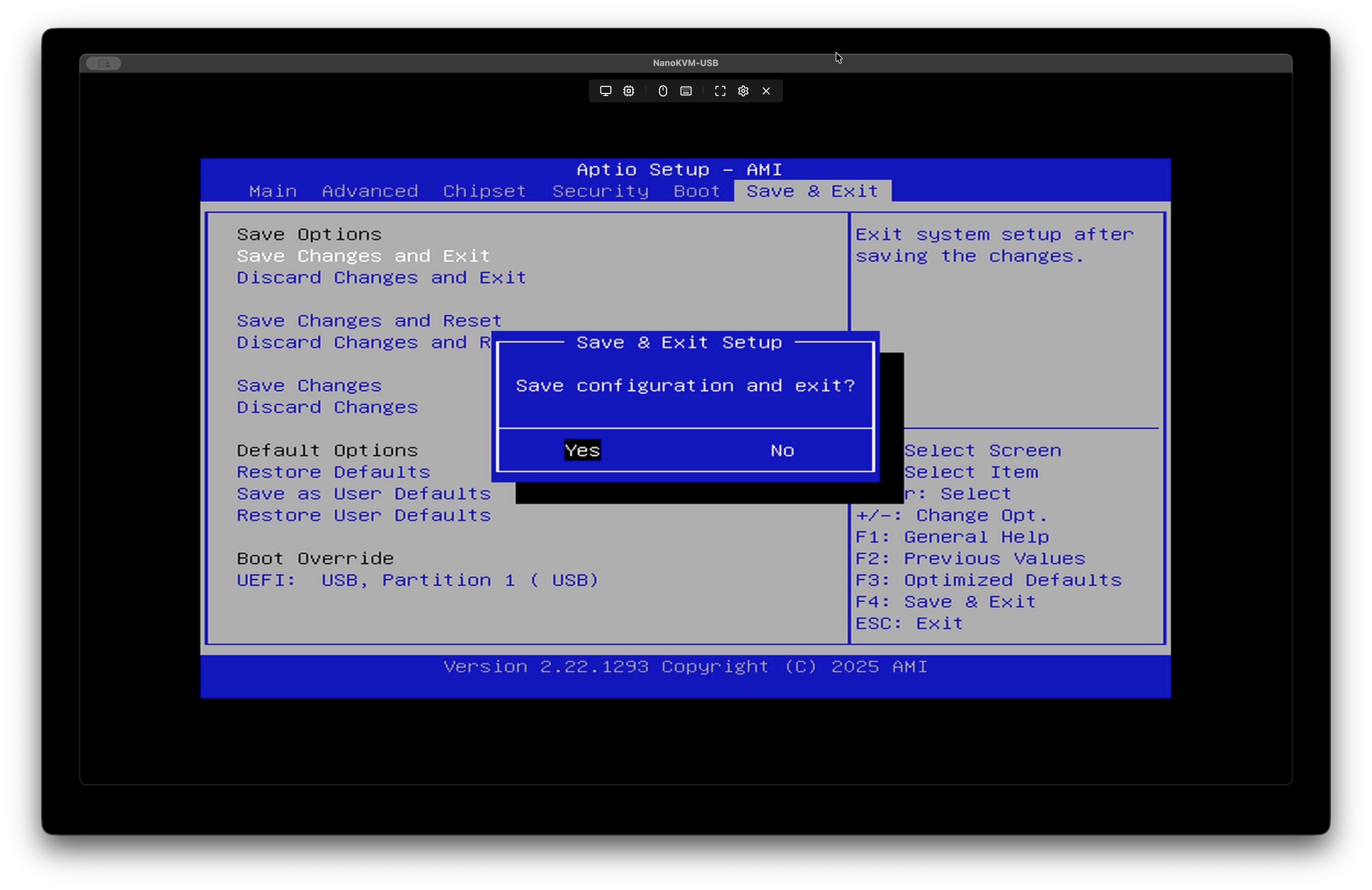
最後に、Save Changes and Exitして完了です。そのまま再起動しましょう。