¶ DEV ROUTER 開封からVyOSセットアップガイド
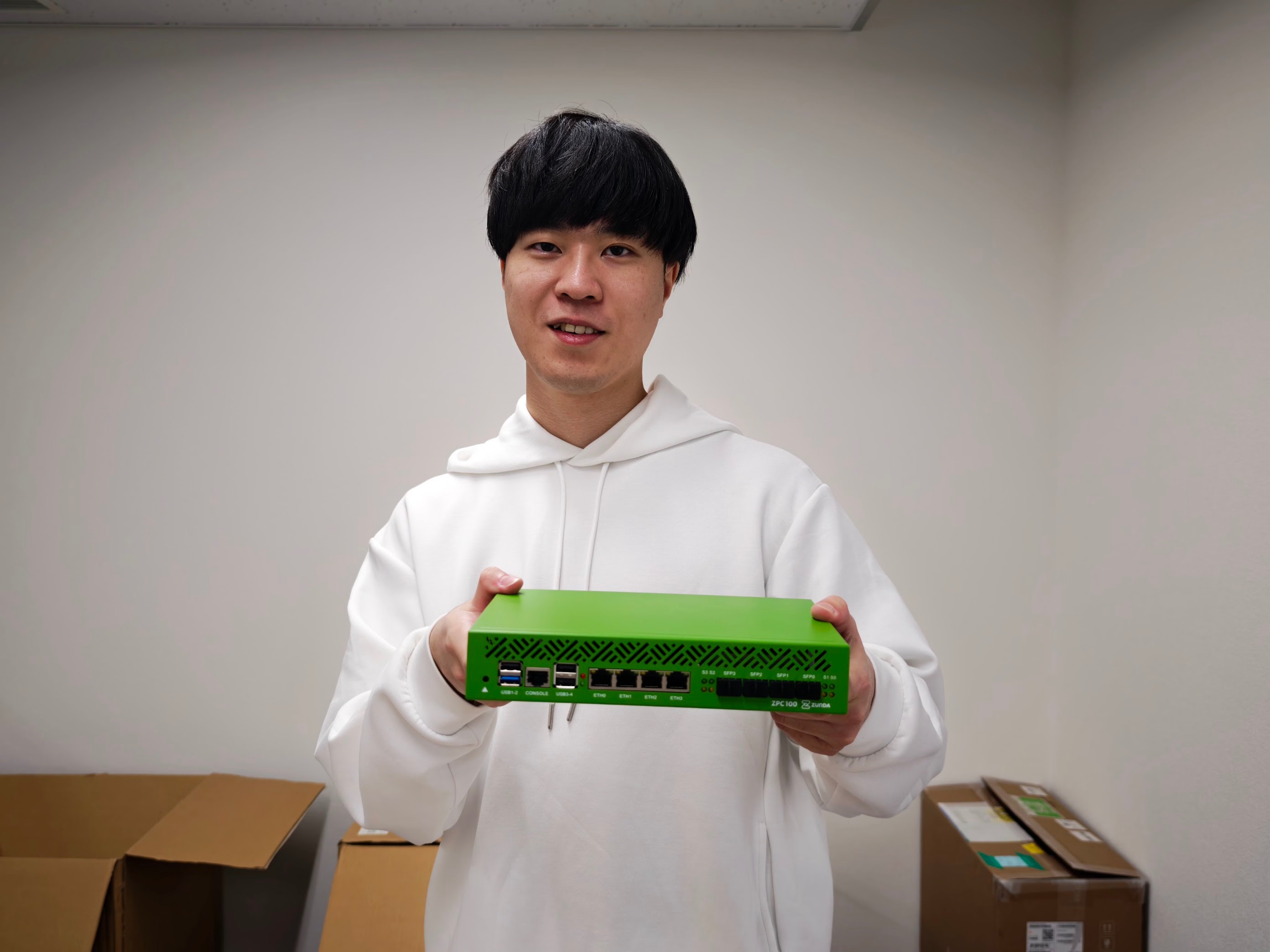
DEV ROUTER を持つ @Kakeru Hokida (6mile) / 撮影: @OishiKazuki
このページでは開封状態からどのように設定をすればVyOSが動くようになり、インターネットにつながるようになるのかを説明していきます。
VyOSの設定方法は公式サイトを見てください。
¶ 用意するもの
- VyOSのインストールメディア
- 公式サイトからISOをダウンロードして、RufusなどでISOをUSBメモリに焼きましょう
- Nightlyビルドのもので大丈夫です
- DEV ROUTER 本体
- メモリ (DDR5 SODIMM) ※ DEV ROUTER には付属していません
- SSD (64GB以上) ※ DEV ROUTER には付属していません
- SFP+モジュール、UTPケーブル、などのL1の接続のもの
¶ ハードウェア的なセットアップ
- 必要に応じてメモリやSSD、LTEモジュールを接続します。
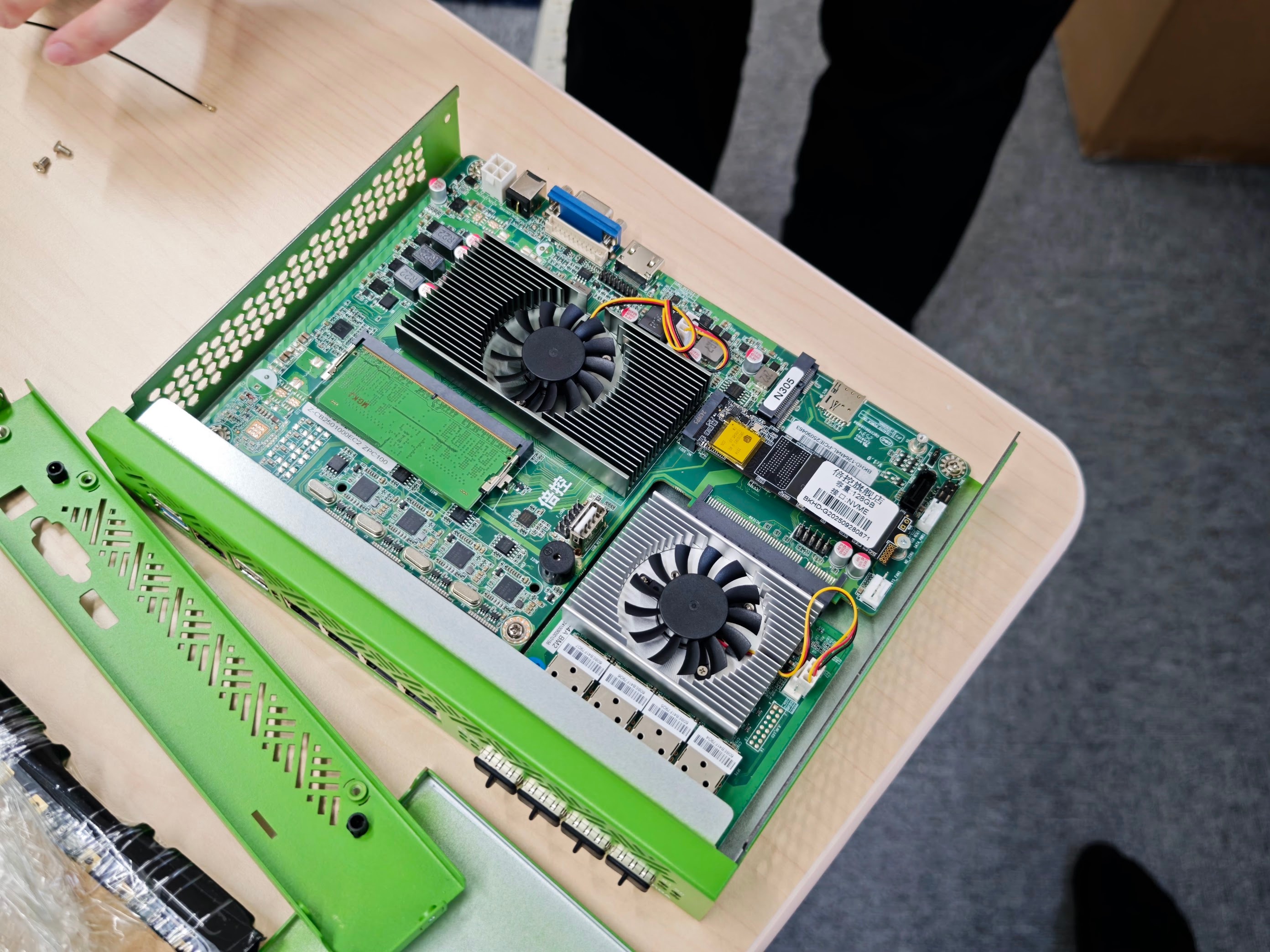
まずは、天板を取り外します。そして、裏面パネルは必要に応じて取り外しましょう。
ネジを外せば簡単に取り外せるので、とりあえず全部ネジを外してしまいましょう。
(裏面にもネジはあるので気をつけましょう)
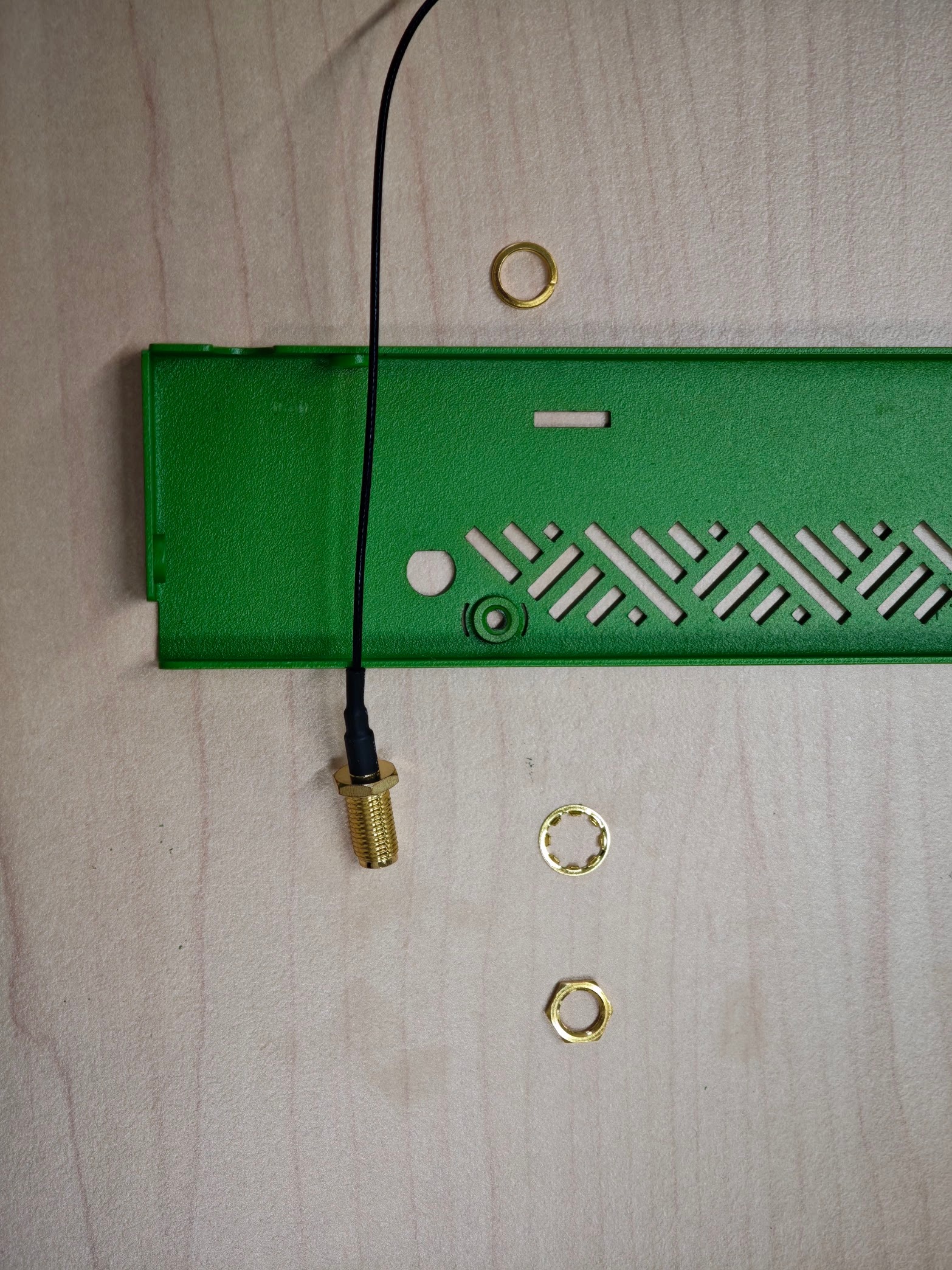
アンテナはこの向きで繋げばいいはずです(あるなら)
¶ UEFIの設定を変更する
VyOSを使用するためにはいくつかの設定を変更する必要があります。
- USBでキーボードを接続、HDMIでディスプレイを接続しましょう
NanoKVMなどを活用するのも手です
- 電源を接続すると自動的に起動するので、Escキーを連打してUEFIの設定画面に入ります
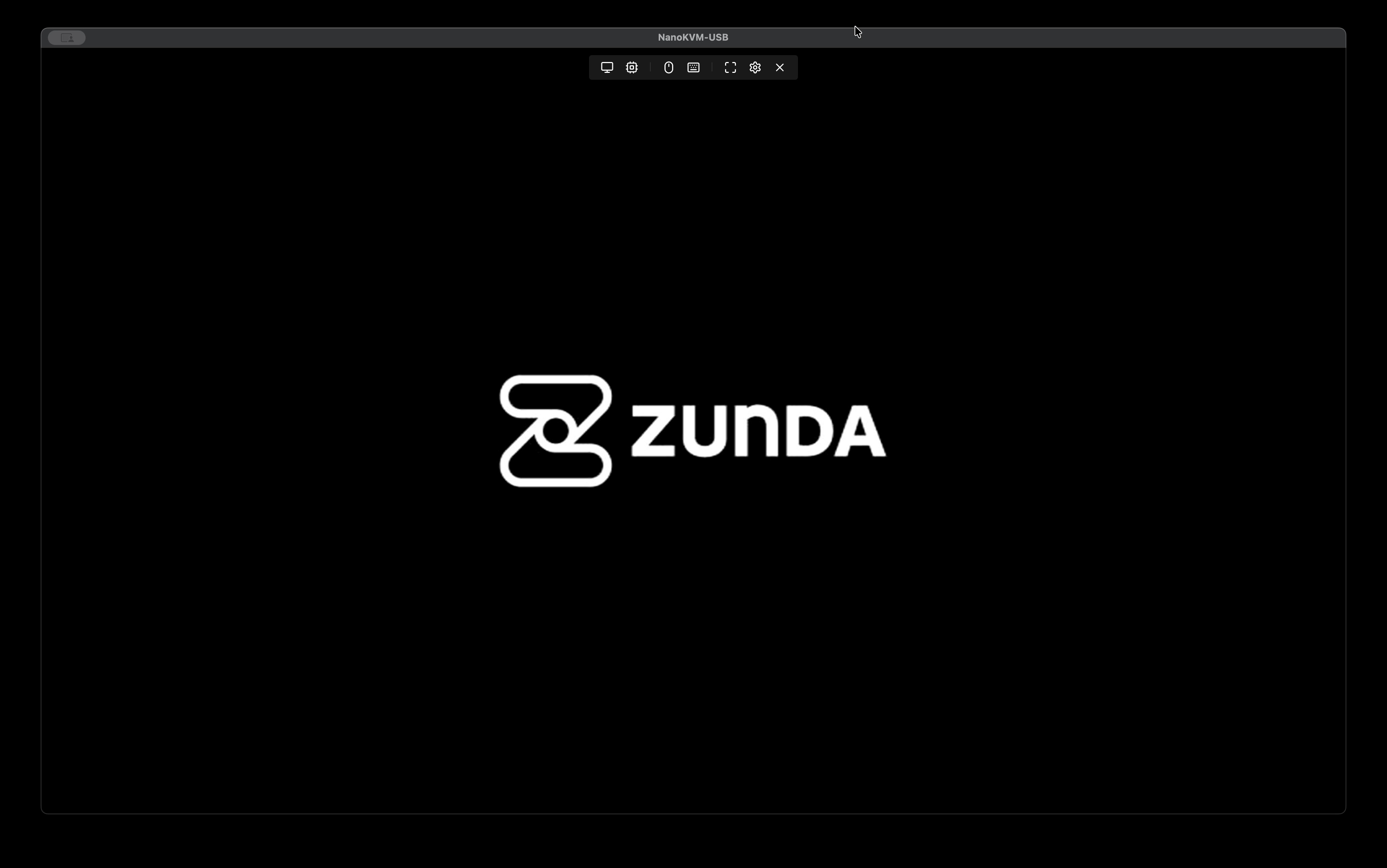
ここの画面でEscを連打します
- UEFIの画面に入ったらシリアルポートを有効化します
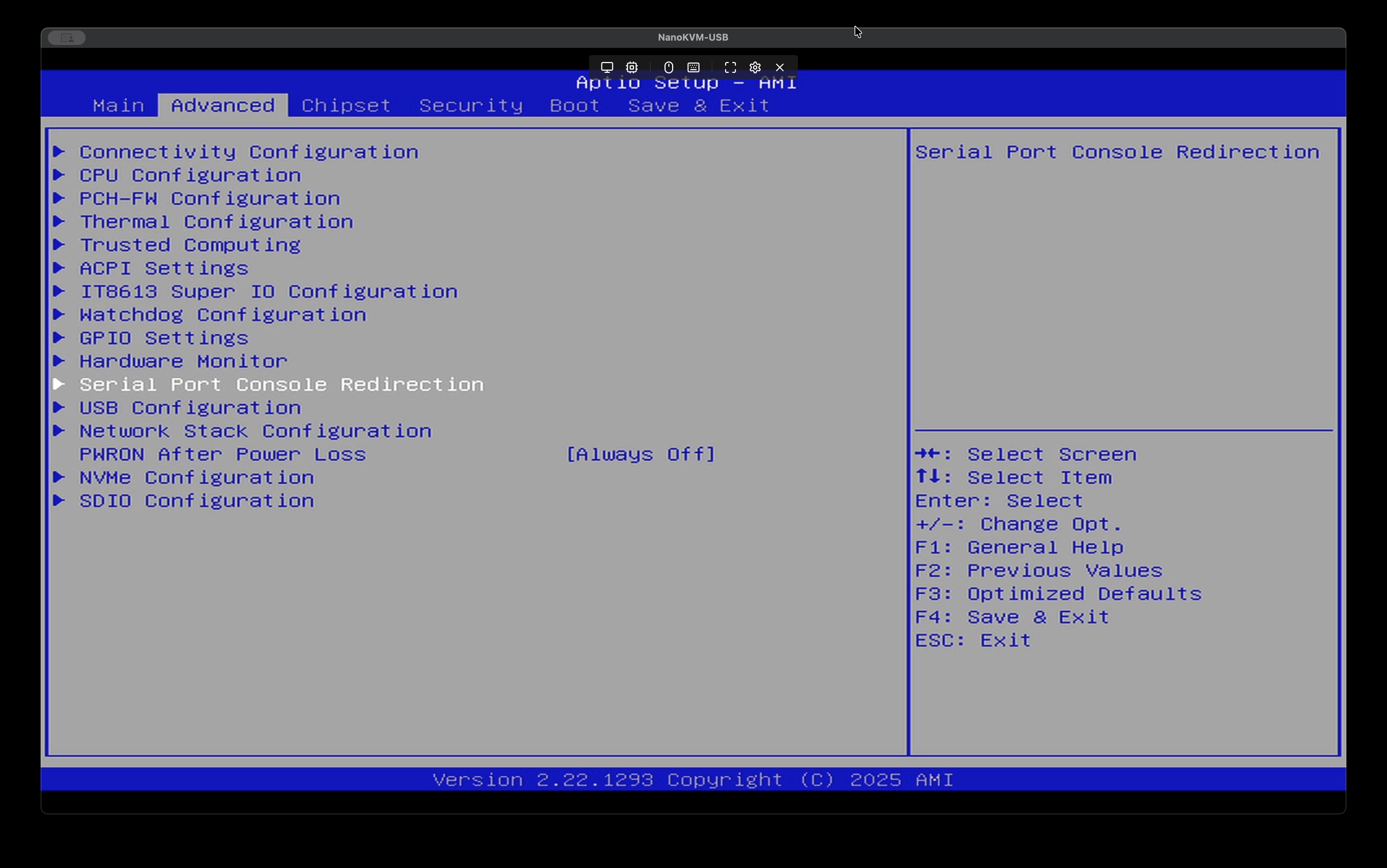
Advanced > Serial Port Console Redirectionに入ります
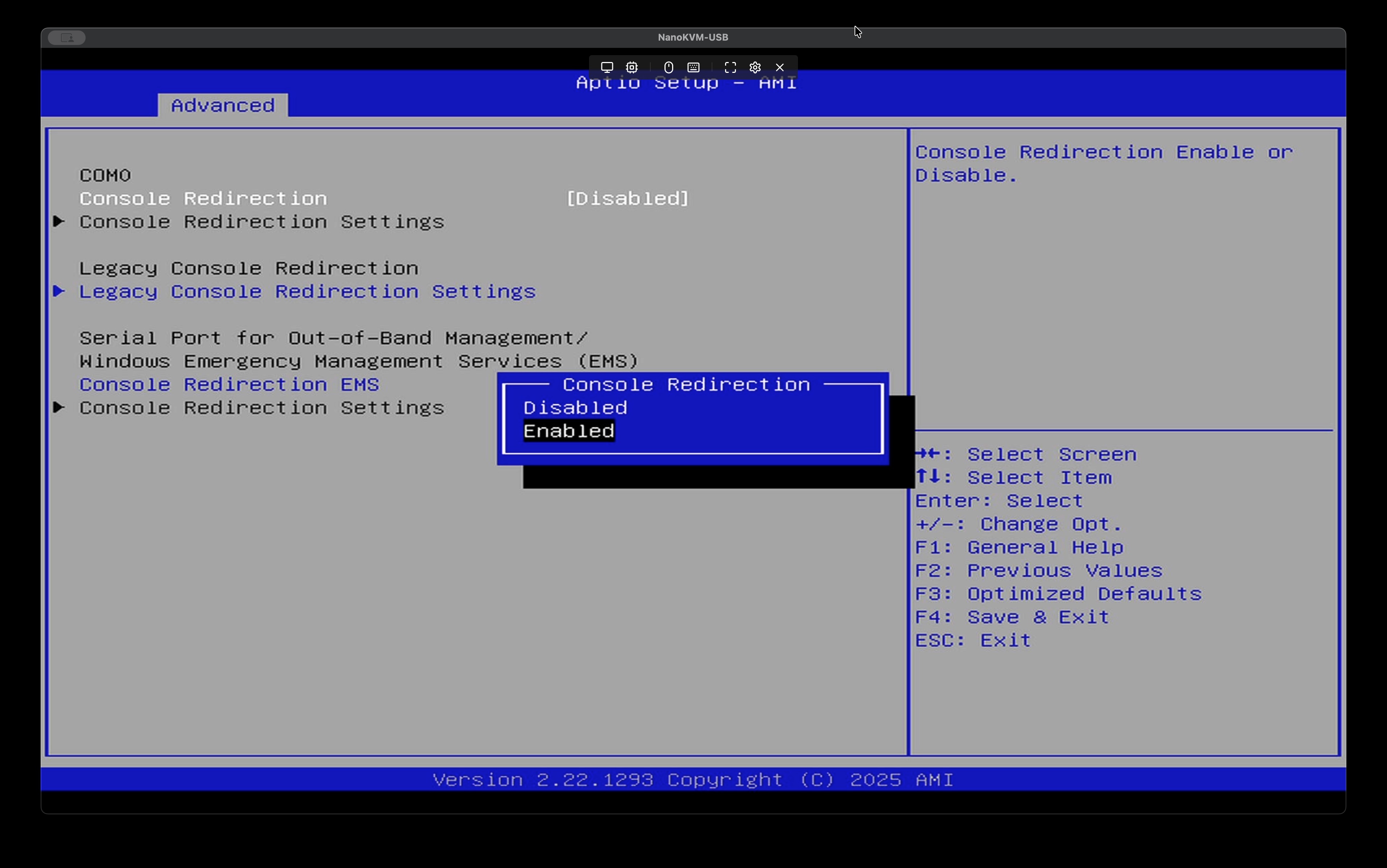
Console Redirection > Enabledに変更
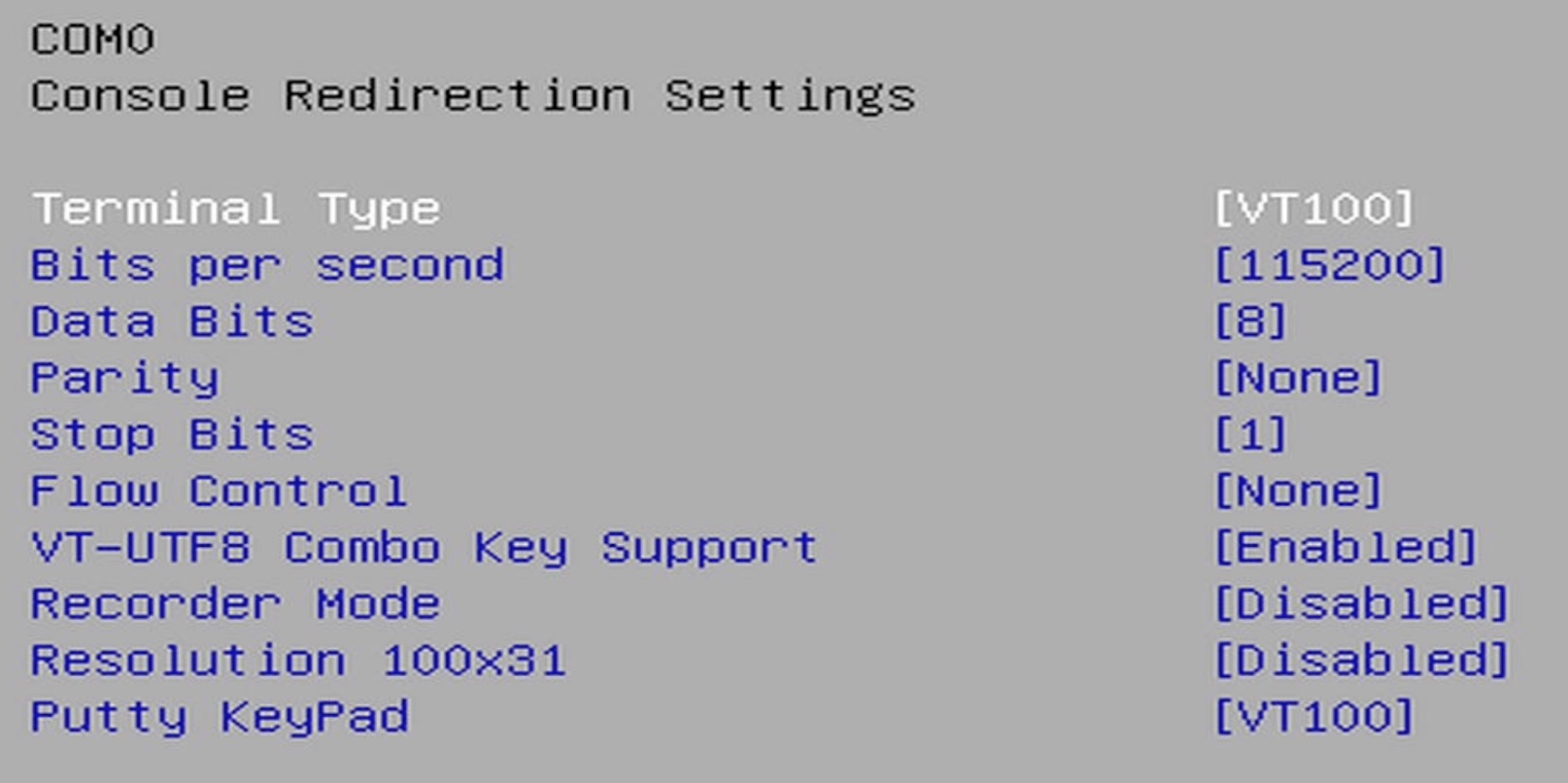
下にあるConsole Redirection Settingsに入ったら以下の変更をしてください
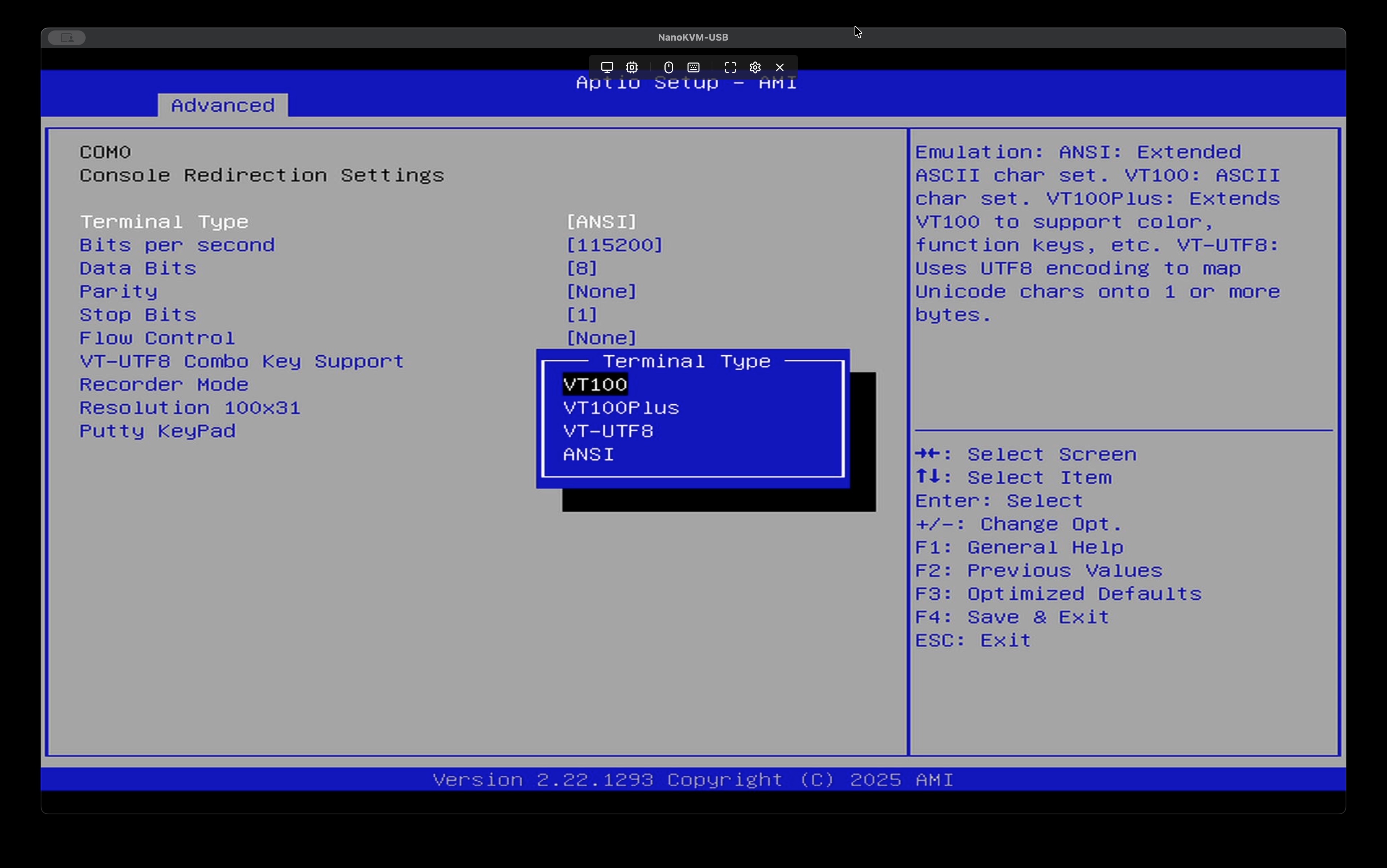
Terminal TypeをVT100に変更、他はデフォルトで良いです。
- セキュアブートを無効化する
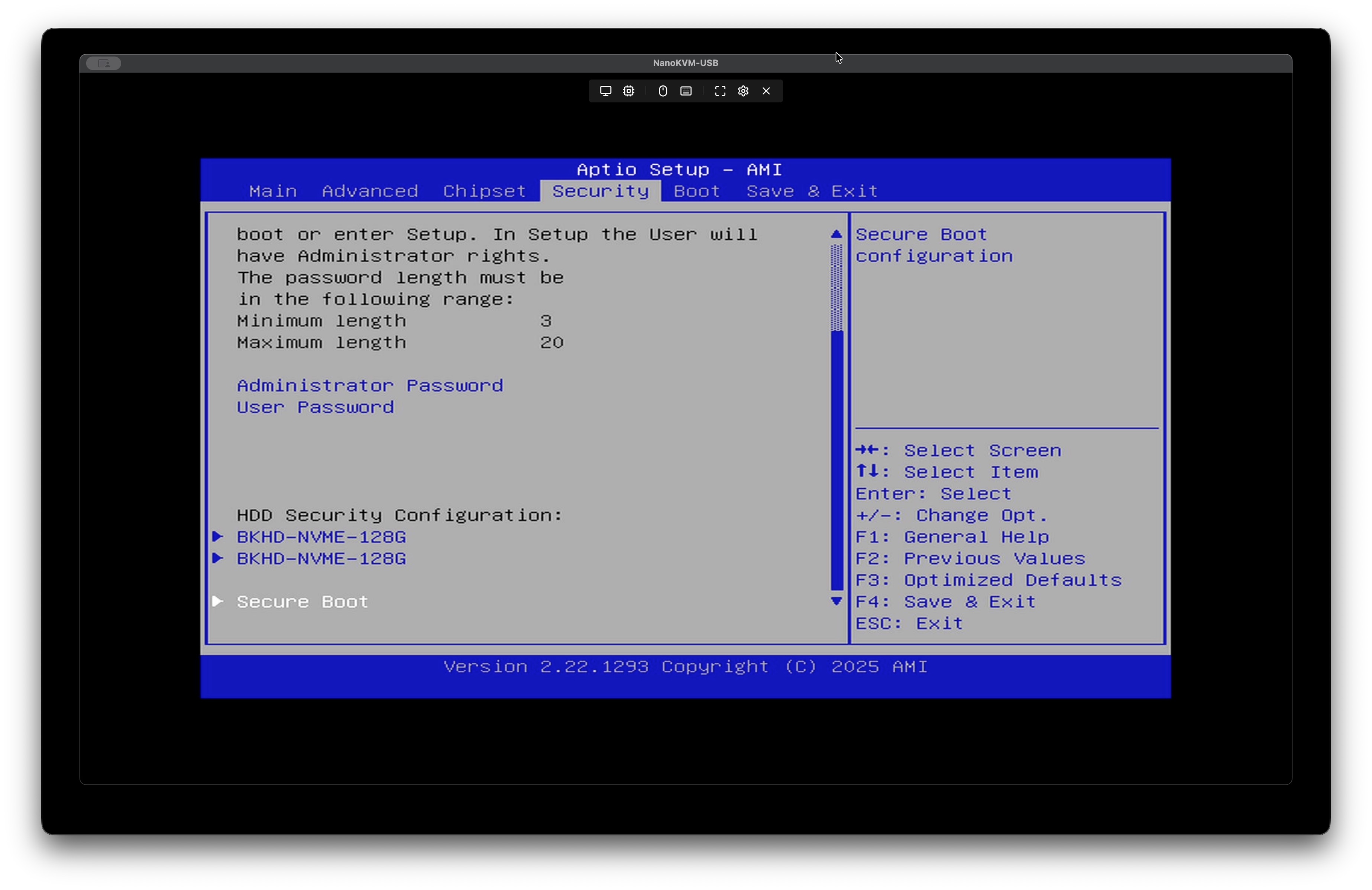
Security > Secure Bootに入る
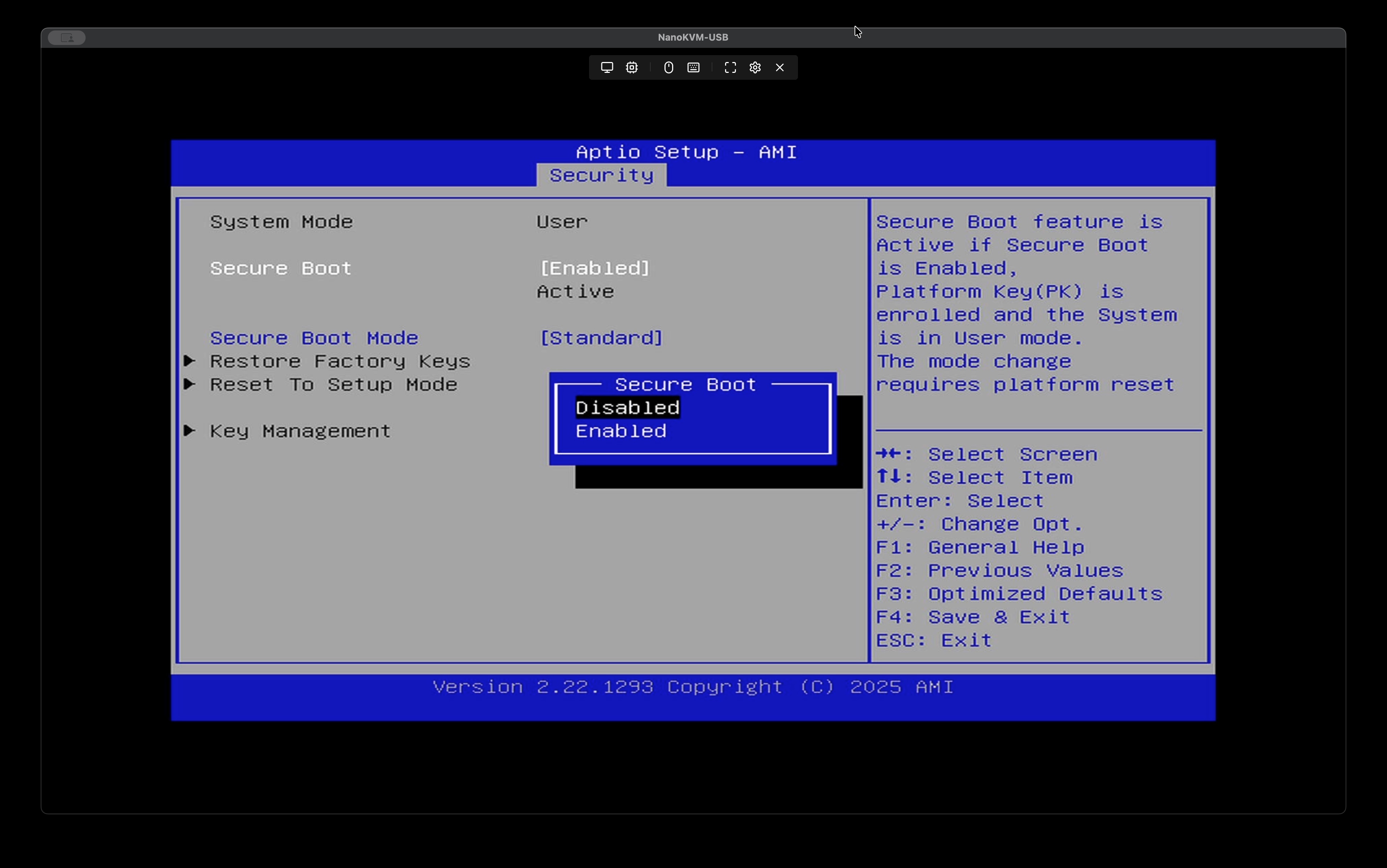
Secure Boot > Disabledに変更
- 設定保存
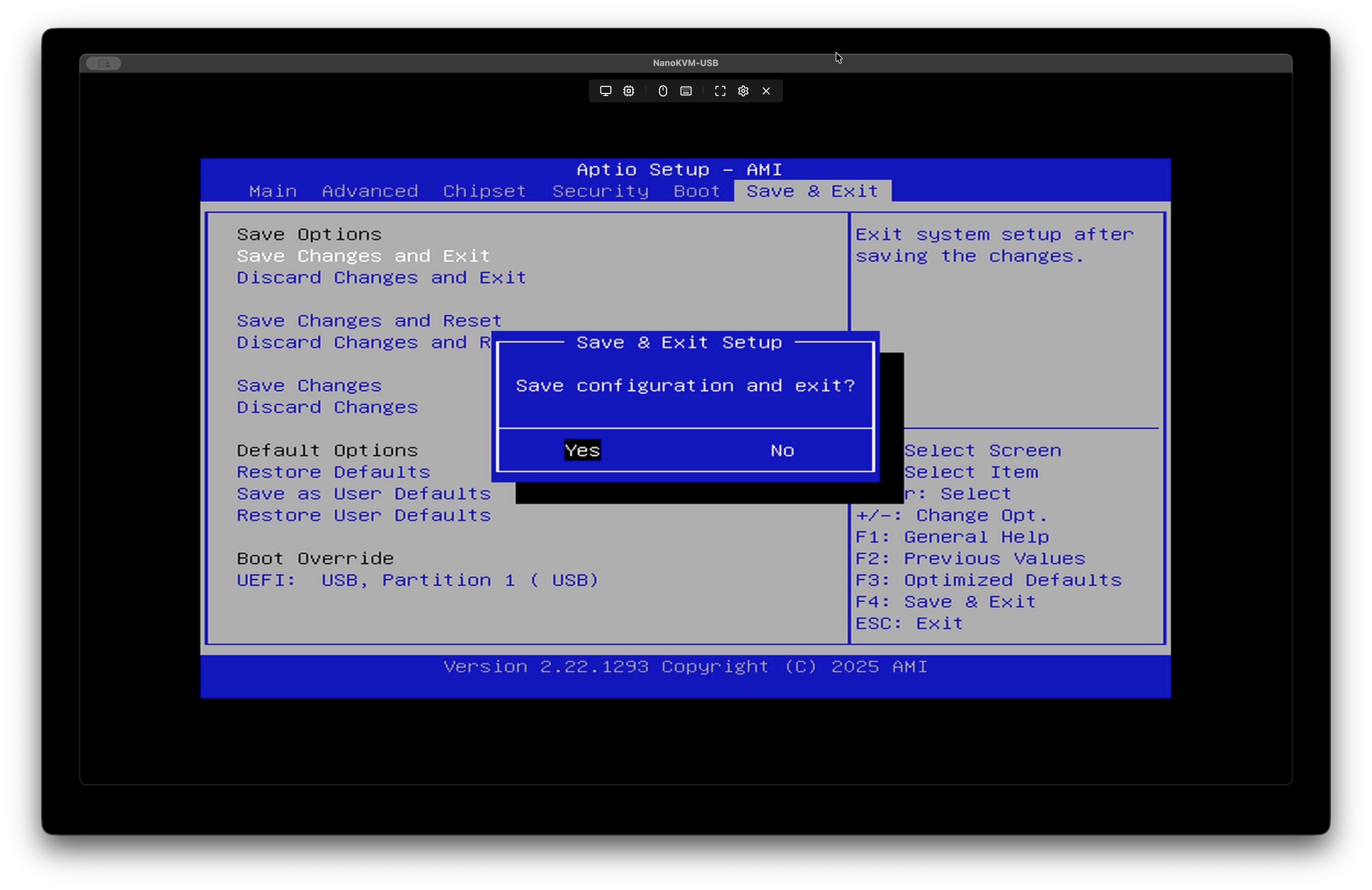
最後に、Save Changes and Exitして完了です。そのまま再起動しましょう。
¶ VyOSをインストールする
このままUSBメモリを挿して起動すればインストーラが立ち上がります。

GRUBの画面でSerial consoleのメニューを選択する
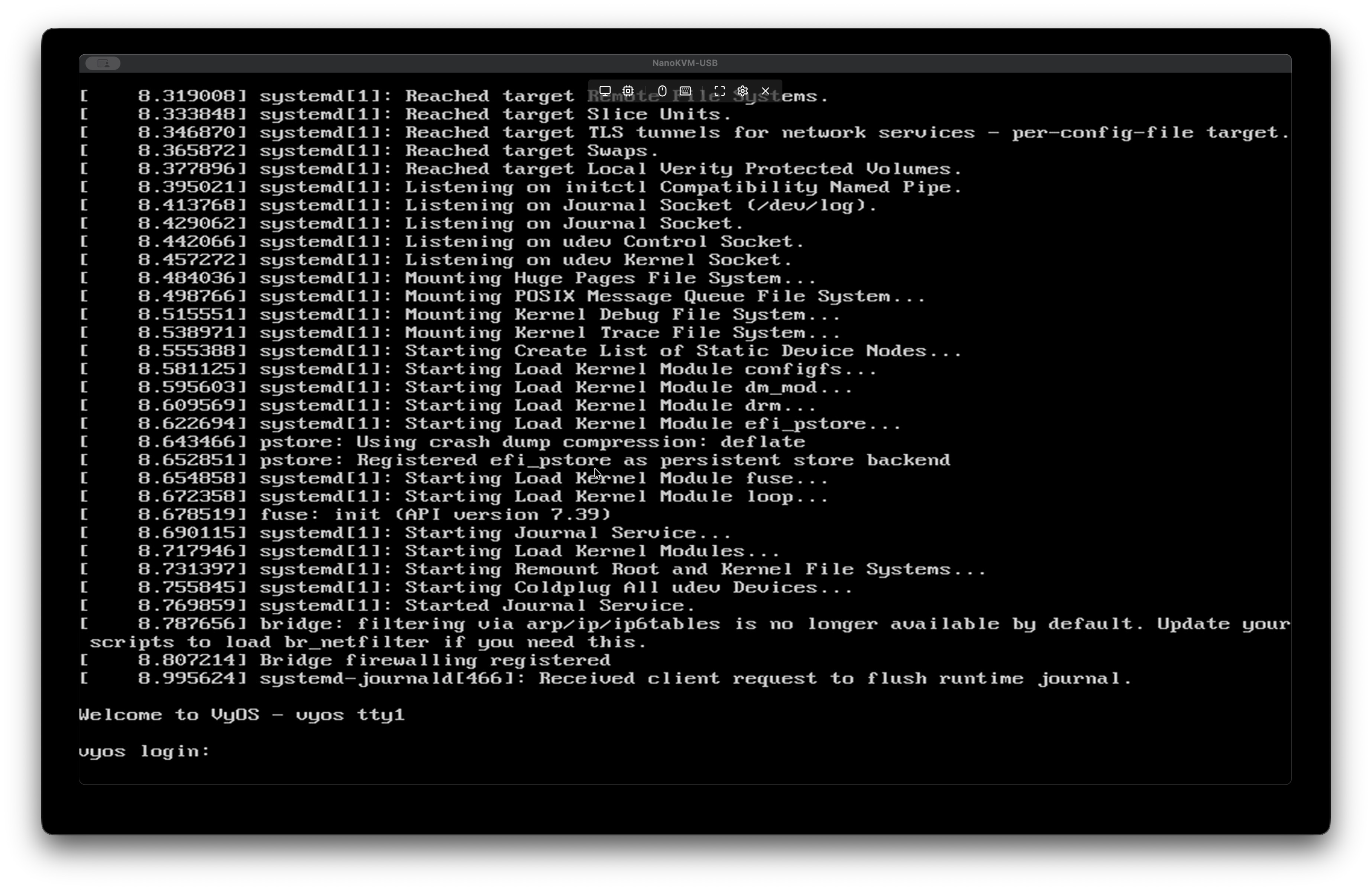
立ち上がったらここから先はシリアルコンソールで進めます。
PCにシリアルケーブルを接続して、screenコマンドで接続します。
# tty の具体的なデバイス名は機種によって異なるので予め確認するか [Tab] 補完であたりをつける
screen /dev/tty.usbserial-***** 115200
接続できたら以下の手順でインストールを進めます。
なにも出てこなかったらEnterキーを押せば出てくると思います。
Welcome to VyOS - vyos ttyS0

vyos login: vyos
Password: vyos # 初期パスワードは vyos

Welcome to VyOS!

   ┌── ┐
   . VyOS 2025.11.04-0019-rolling
   └ ──┘  current

 * Documentation:  https://docs.vyos.io/en/latest
 * Project news:   https://blog.vyos.io
 * Bug reports:    https://vyos.dev

You can change this banner using "set system login banner post-login" command.

VyOS is a free software distribution that includes multiple components,
you can check individual component licenses under /usr/share/doc/*/copyright

---
WARNING: This VyOS system is not a stable long-term support version and
         is not intended for production use.

vyos@vyos:~$ install image

Welcome to VyOS installation!
This command will install VyOS to your permanent storage.
Would you like to continue? [y/N] y
What would you like to name this image? (Default: 2025.11.04-0019-rolling)

Please enter a password for the "vyos" user: # 管理パスワードを適宜設定
Please confirm password for the "vyos" user: # 再度入力

What console should be used by default? (K: KVM, S: Serial)? (Default: S) S

Probing disks
2 disk(s) found
Would you like to configure RAID-1 mirroring? [Y/n] n
The following disks were found:
Drive: /dev/sdb (57.3 GB)
Drive: /dev/nvme0n1 (119.2 GB)  # NVMeスロットを使った場合はこれ。容量も確認しましょう。

Which one should be used for installation? (Default: /dev/sdb) /dev/nvme0n1

Installation will delete all data on the drive. Continue? [y/N] y

Searching for data from previous installations
No previous installation found

Would you like to use all the free space on the drive? [Y/n] y

Creating partition table...
The following config files are available for boot:
    1: /opt/vyatta/etc/config/config.boot
    2: /opt/vyatta/etc/config.boot.default

Which file would you like as boot config? (Default: 1) 1

Creating temporary directories
Mounting new partitions
Creating a configuration file
Copying system image files
Installing GRUB configuration files
Installing GRUB to the drive
Cleaning up
Unmounting target filesystems
Removing temporary files
The image installed successfully; please reboot now.

vyos@vyos:~$ poweroff # 完了したらシャットダウン

Are you sure you want to poweroff this system (vyos)? [y/N] y

Broadcast message from root@vyos on pts/0 (Thu 2025-06-26 15:00:51 UTC):

The system will power off now!
電源が切れたらUSBメモリを抜いてもう一度電源を入れます。
起動時にブートログが流れてきて、ログインプロンプトが見えたら完了です。
Welcome to VyOS - vyos ttyS0

vyos login: vyos

Password:
Welcome to VyOS!

   ┌── ┐
   . VyOS 2025.11.04-0019-rolling
   └ ──┘  current

 * Documentation:  https://docs.vyos.io/en/latest
 * Project news:   https://blog.vyos.io
 * Bug reports:    https://vyos.dev

You can change this banner using "set system login banner post-login" command.

VyOS is a free software distribution that includes multiple components,
you can check individual component licenses under /usr/share/doc/*/copyright

---
WARNING: This VyOS system is not a stable long-term support version and
         is not intended for production use.
¶ 接続図など
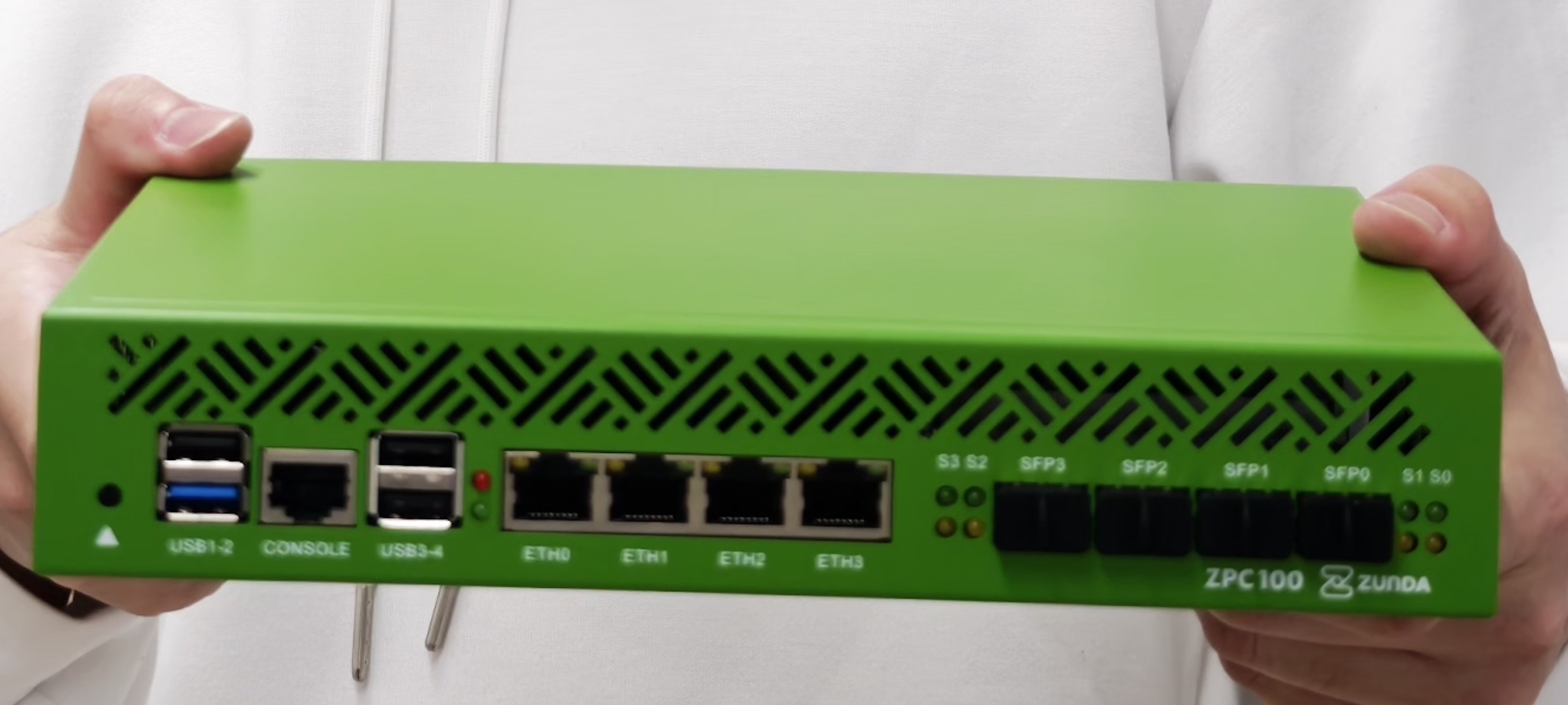
VyOSで見えるインタフェースは左側から
- eth4 - 2.5G 一番左
- eth5 - 2.5G
- eth6 - 2.5G
- eth7 - 2.5G 一番右
- eth3 - SFP+ 一番左
- eth2 - SFP+
- eth1 - SFP+
- eth0 - SFP+ 一番右
です
¶ とりあえず繋がったコンフィグ
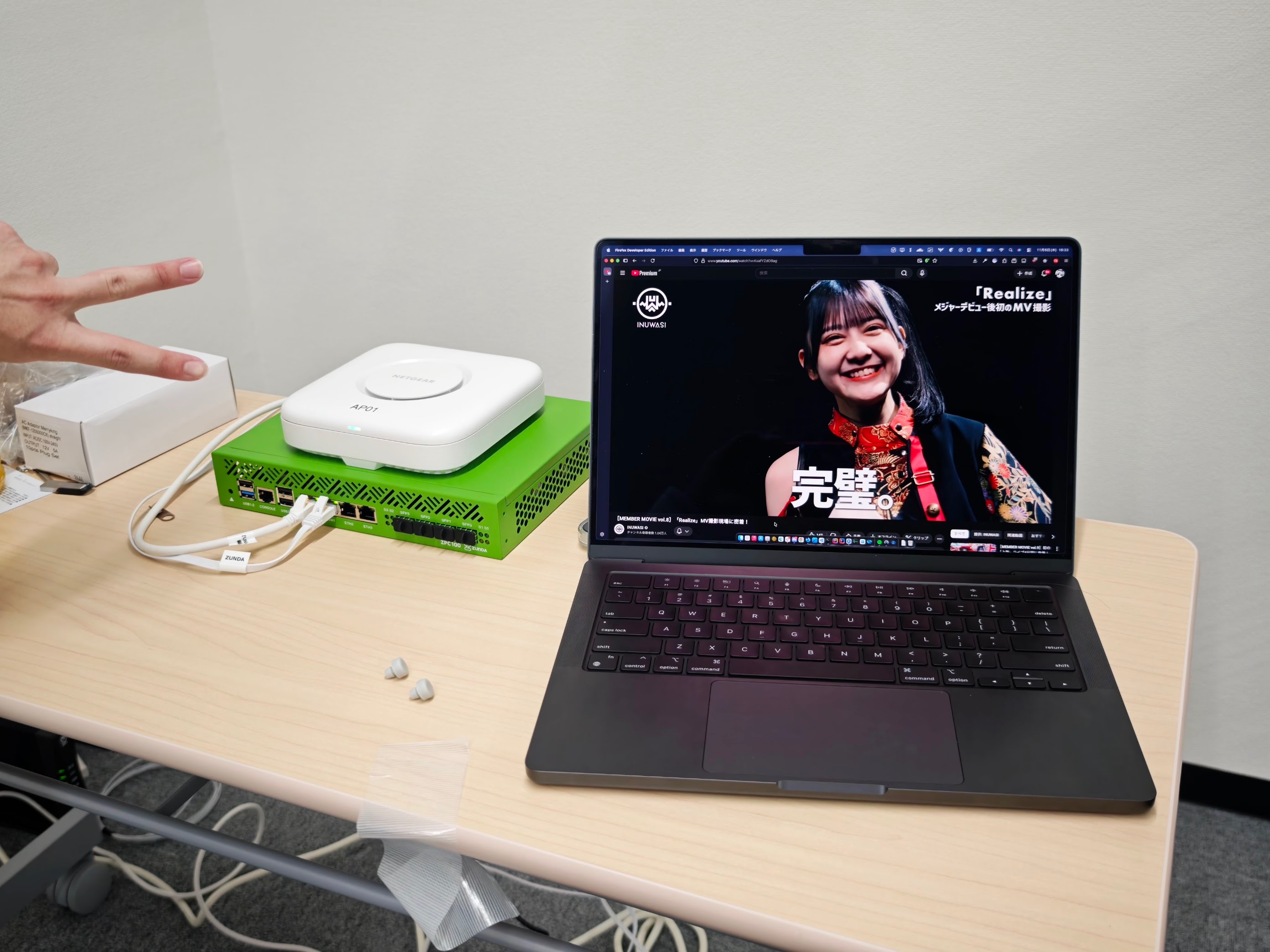
以下の条件で接続しました。
-
ETH0ポート (VyOS では
eth4として認識) にフレッツ光クロスの ONU を接続 -
ETH1ポート (VyOS では
eth5として認識) に LAN 機器 (Wi-FI AP) を接続 -
JPIXの「v6プラス」固定IPサービスに契約
詳しくはググってください。とりあえずv6プラス固定IPはつながりました。
firewall {
group {
interface-group dmz {
}
interface-group private {
interface eth5
}
interface-group public {
interface eth4
interface tun0
}
}
ipv4 {
forward {
filter {
default-action drop
rule 10 {
action accept
inbound-interface {
group !public
}
}
rule 20 {
action accept
outbound-interface {
group dmz
}
}
rule 21 {
action accept
protocol icmp
}
rule 100 {
action accept
state established
state related
}
}
}
input {
filter {
default-action drop
rule 10 {
action accept
inbound-interface {
group !public
}
}
rule 11 {
action accept
destination {
port 500,4500
}
protocol udp
}
rule 12 {
action accept
destination {
port 1701
}
protocol udp
}
rule 13 {
action accept
protocol ah
}
rule 14 {
action accept
protocol esp
}
rule 15 {
action accept
protocol icmp
}
rule 16 {
action accept
destination {
port 67,68
}
protocol udp
}
rule 100 {
action accept
state established
state related
}
}
}
}
ipv6 {
forward {
filter {
default-action drop
rule 10 {
action accept
inbound-interface {
group !public
}
}
rule 20 {
action accept
outbound-interface {
group dmz
}
}
rule 21 {
action accept
protocol ipv6-icmp
}
rule 100 {
action accept
state established
state related
}
}
}
input {
filter {
default-action drop
rule 10 {
action accept
inbound-interface {
group !public
}
}
rule 11 {
action accept
destination {
port 500,4500
}
protocol udp
}
rule 12 {
action accept
destination {
port 1701
}
protocol udp
}
rule 13 {
action accept
protocol ah
}
rule 14 {
action accept
protocol esp
}
rule 15 {
action accept
protocol ipv6-icmp
}
rule 16 {
action accept
destination {
port 546,547
}
protocol udp
}
rule 17 {
action accept
protocol ipip
}
rule 100 {
action accept
state established
state related
}
}
}
}
}
interfaces {
ethernet eth0 {
hw-id 60:be:b4:1f:79:d4
offload {
gro
gso
sg
tso
}
}
ethernet eth1 {
hw-id 60:be:b4:1f:79:d5
offload {
gro
gso
sg
tso
}
}
ethernet eth2 {
hw-id 60:be:b4:1f:79:d6
offload {
gro
gso
sg
tso
}
}
ethernet eth3 {
hw-id 60:be:b4:1f:79:d7
offload {
gro
gso
sg
tso
}
}
ethernet eth4 {
address 240b:12:d2a8:1b00:0012:3456:7800:0000/128
dhcpv6-options {
duid 00:03:00:01:00:d0:b4:05:60:d9
pd 0 {
interface eth5 {
address 1
sla-id 0
}
length 56
}
}
hw-id 00:11:22:33:44:55
ipv6 {
address {
autoconf
}
}
offload {
gro
gso
hw-tc-offload
lro
rfs
rps
sg
tso
}
}
ethernet eth5 {
address 10.0.0.1/16
hw-id 00:d0:b4:05:60:da
offload {
gro
gso
hw-tc-offload
lro
rfs
rps
sg
tso
}
}
ethernet eth6 {
hw-id 00:d0:b4:05:60:db
offload {
gro
gso
sg
tso
}
}
ethernet eth7 {
hw-id 00:d0:b4:05:60:dc
offload {
gro
gso
sg
tso
}
}
loopback lo {
}
tunnel tun0 {
address 1.2.3.4/32
encapsulation ipip6
ip {
adjust-mss clamp-mss-to-pmtu
}
mtu 1460
parameters {
ipv6 {
encaplimit none
}
}
remote 2404:0000:1111:2222::65
source-address 240b:12:3456:7800:0000:1111:2222:0000
source-interface eth4
}
}
nat {
source {
rule 1 {
outbound-interface {
name tun0
}
source {
address 10.0.0.0/16
}
translation {
address masquerade
}
}
}
}
protocols {
static {
route 0.0.0.0/0 {
interface tun0 {
}
}
}
}
service {
dhcp-server {
listen-interface eth5
shared-network-name eth5 {
subnet 10.0.0.0/16 {
option {
default-router 10.0.0.1
name-server 1.1.1.1
name-server 1.0.0.1
}
range 0 {
start 10.0.0.2
stop 10.0.255.254
}
subnet-id 1
}
}
}
ntp {
allow-client {
address 127.0.0.0/8
address 169.254.0.0/16
address 10.0.0.0/8
address 172.16.0.0/12
address 192.168.0.0/16
address ::1/128
address fe80::/10
address fc00::/7
}
server time1.vyos.net {
}
server time2.vyos.net {
}
server time3.vyos.net {
}
}
router-advert {
interface eth5 {
name-server 2606:4700:4700::1111
name-server 2606:4700:4700::1001
prefix ::/64 {
}
}
}
ssh {
access-control {
allow {
user vyos
}
}
port 22
}
}
system {
config-management {
commit-revisions 100
}
console {
device ttyS0 {
speed 115200
}
}
host-name miu
login {
operator-group default {
command-policy {
allow "*"
}
}
user vyos {
authentication {
encrypted-password ****************
plaintext-password ****************
}
}
}
name-server 2606:4700:4700::1111
name-server 2606:4700:4700::1001
option {
reboot-on-upgrade-failure 5
}
syslog {
local {
facility all {
level info
}
facility local7 {
level debug
}
}
}
}
¶ VyOS で IPoE (IPIP6) を利用した際の課題
いまのところ、以下の機能が正しく実装されていません
- プレフィックスの変更通知の自動化
- DHCPv6-PD から降ってきた DNS サーバーを LAN にプロクシする
- IPIPトンネルの構成 (トンネル始点アドレスなど) やインタフェースIDを自動的に構成できない
ZUNDA CONNECT ROUTER では、こうした問題を解決した「日本の IPv4 over IPv6 に最適化されたルーター」を開発しております。VyOS でもこうした問題を解決したい方は、是非OSSにコミットされていただきたく存じます。